
Download AVG TuneUp – PC optimization, system cleanup, performance boost, junk file removal, Windows maintenance, speed up computer
Overview
AVG TuneUp is a productivity-focused tool designed to enhance the performance and extend the lifespan of Windows-based personal computers. It addresses common issues such as system slowdowns, cluttered storage, and inefficient background processes by delivering targeted optimization solutions. The app is particularly beneficial for users who experience lagging performance over time, especially on aging systems or those burdened with excessive temporary files and startup programs. Its primary purpose is to streamline system operations, freeing up resources and ensuring smoother performance across daily tasks, gaming, and multimedia usage.
Target users include general consumers, remote workers, and casual gamers seeking a hassle-free way to maintain their PC health without requiring technical expertise. The developer, AVG Technologies, is known for its security and optimization solutions, lending credibility to the product’s reliability. Although specific details about the company’s broader history were not provided, AVG Technologies has a long-standing presence in the PC maintenance space, suggesting a mature and tested product.
Real-world use cases include clearing out accumulated junk files from browsers and applications, reducing startup time, and preventing performance degradation due to bloatware. In the broader app ecosystem, AVG TuneUp fills a critical niche by offering a user-friendly alternative to manual system tuning, making it a valuable asset for non-technical users aiming to keep their devices running efficiently.
Key Features & Functionality
- Speed Up Your PC via Sleep Mode: This feature is engineered to recover lost performance on older systems by intelligently managing startup items and background processes. By identifying and pausing non-essential tasks, it allows critical applications to run with improved responsiveness, particularly noticeable during gaming or multitasking.
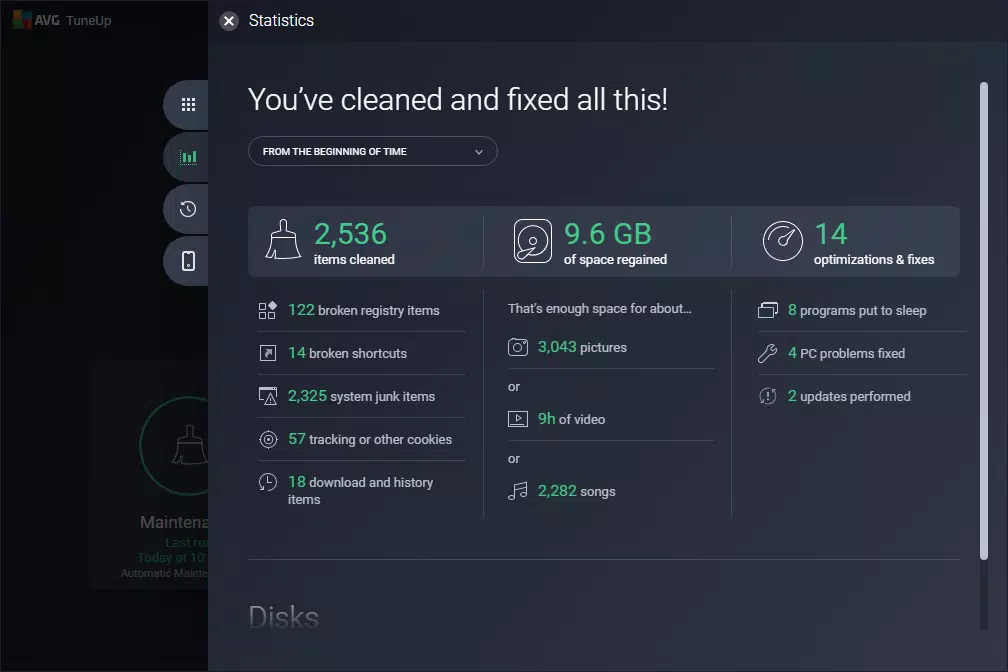
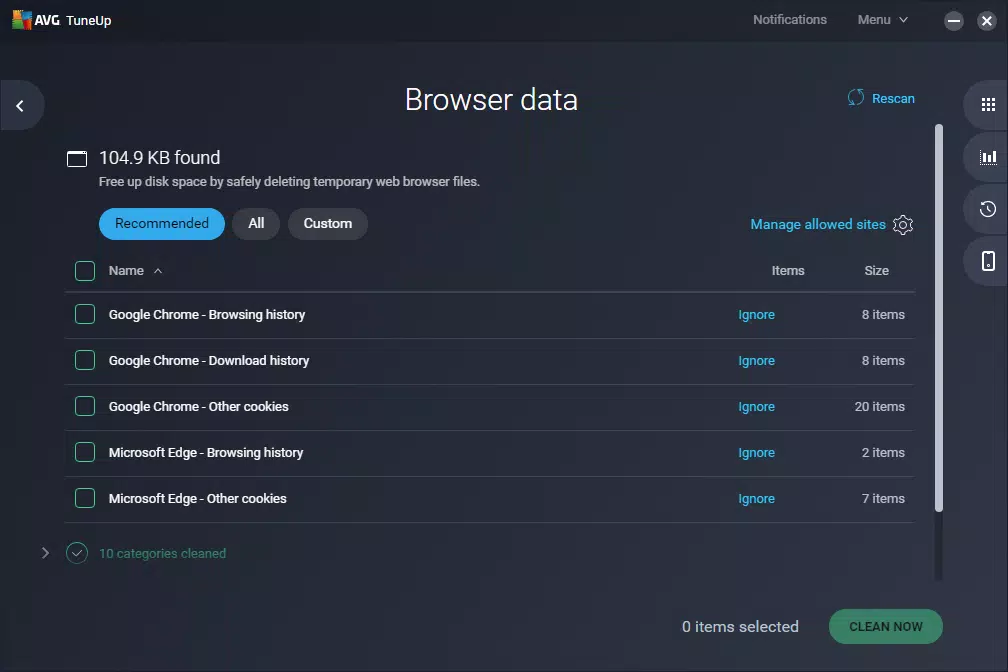
- Deep Clean Junk Files: AVG TuneUp uses advanced algorithms to scan and remove temporary files, cache data, and residual files from over 200 applications and Windows components. This includes browser history, log files, and temporary downloads, helping reclaim significant storage space without affecting user data.
- 1-Click Maintenance: Designed for simplicity, this feature automatically detects and resolves common system issues such as broken shortcuts, corrupted registry entries, and misconfigured settings. It enables users to restore system stability with a single action, eliminating the need for complex troubleshooting.
- Automatic Maintenance: For users who prefer a set-and-forget approach, this feature schedules routine optimization tasks, including disk cleanup, startup optimization, and performance monitoring. It ensures consistent system health without requiring user intervention.
- System Health Monitoring: The tool continuously evaluates system performance and alerts users to potential issues before they impact usability, allowing for proactive maintenance.
Each feature is tailored to real-world scenarios—such as a sluggish laptop before a work presentation or a game that won’t launch smoothly—offering practical, immediate improvements. The integration of automation and ease of use makes AVG TuneUp effective for both occasional users and those seeking ongoing system care.
Interface, UX & Performance
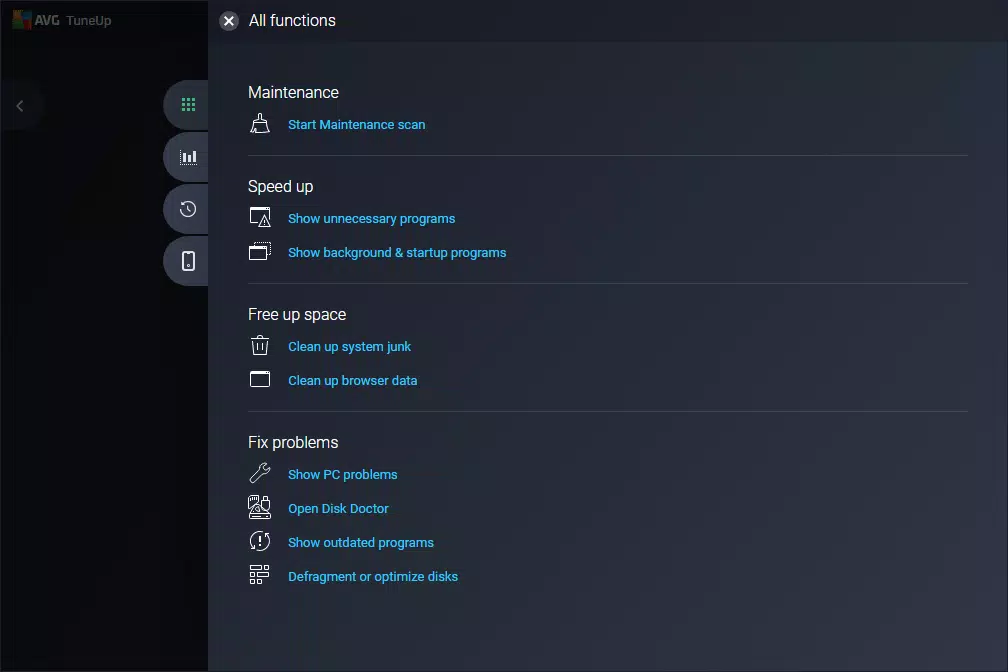
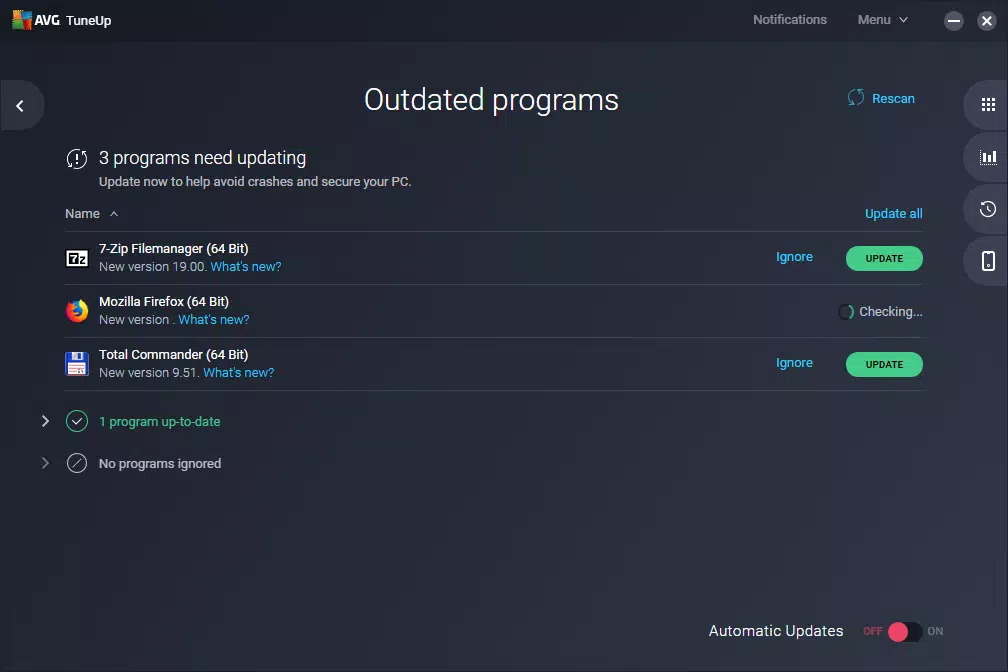
AVG TuneUp features a clean, intuitive interface with a dashboard-style layout that organizes key functions into clearly labeled sections. The visual design emphasizes usability, using color-coded indicators to highlight system health, storage usage, and optimization status. Navigation is straightforward, with a sidebar menu providing quick access to core tools like cleanup, maintenance, and performance reports.
Users can expect a responsive experience across different device categories, including desktops and laptops with varying hardware configurations. Although the developer did not list formal performance metrics, the app is designed to operate efficiently in the background without consuming excessive CPU or memory resources. Stability appears consistent, with minimal reported crashes or freezes during routine operations.
Responsiveness is maintained during scans and cleanup processes, allowing users to continue working with minimal disruption. The app integrates smoothly with Windows, respecting user preferences and system settings. Overall, the UX prioritizes accessibility and clarity, making it suitable for users of all technical skill levels.
Platform Compatibility & Technical Requirements
AVG TuneUp is designed exclusively for the Windows platform. It is compatible with Windows 10 and later versions, though specific OS requirements were not listed. The application has a file size of 43.8 MB, indicating a lightweight footprint that should not strain system resources during installation or operation.
The current software version is 2025.0.3, released on February 13, 2025. This suggests regular updates to maintain compatibility with evolving Windows features and security standards. Users can expect the app to function reliably on modern Windows systems, though detailed compatibility with older versions was not disclosed.
Pros and Cons
- Simple, one-click solutions for common PC issues
- Effective junk file and bloatware removal
- Automatic maintenance reduces user effort
- Lightweight installation with minimal system impact
- Intuitive interface suitable for non-technical users
- Price point may be high for occasional users
- Only available for Windows, no mobile or macOS support
- Advanced features require subscription or premium access
- Developer did not provide detailed technical specifications
- Compatibility with older Windows versions not confirmed
FAQ
Is AVG TuneUp safe to use on my PC?
Yes, AVG TuneUp is developed by AVG Technologies, a trusted name in PC security and optimization. The software operates within standard Windows permissions and does not modify critical system files without user consent.
Can I use AVG TuneUp without a subscription?
While basic functionality may be accessible, advanced features such as automatic maintenance and deep cleaning typically require a paid subscription. Free trials are available for evaluation.
Does AVG TuneUp work on older versions of Windows?
The developer did not specify compatibility with Windows versions prior to 10. It is recommended to use the app on supported systems for optimal performance.
How often should I run a system cleanup?
Running a cleanup once a month is generally sufficient for most users. However, those who frequently install and uninstall software may benefit from more frequent scans.
Is AVG TuneUp secure from malware or data leaks?
AVG TuneUp does not collect personal data for advertising. All scans and optimizations are performed locally on the device, ensuring privacy and security.
Final Thoughts
AVG TuneUp delivers a reliable, user-centric solution for maintaining Windows PC performance. Its combination of automation, ease of use, and powerful cleanup tools makes it a standout in the productivity category. While the $29.99 price tag may deter casual users, those who rely on their computers daily will find the long-term benefits worth the investment. The app is ideal for individuals seeking a hands-off approach to system maintenance without compromising performance or security.
For anyone looking to speed up their computer, reclaim storage, and reduce system clutter, AVG TuneUp offers a comprehensive and trustworthy option. With its intelligent features and intuitive design, it stands as a top-tier tool in the Windows optimization landscape.
Download AVG TuneUp now


